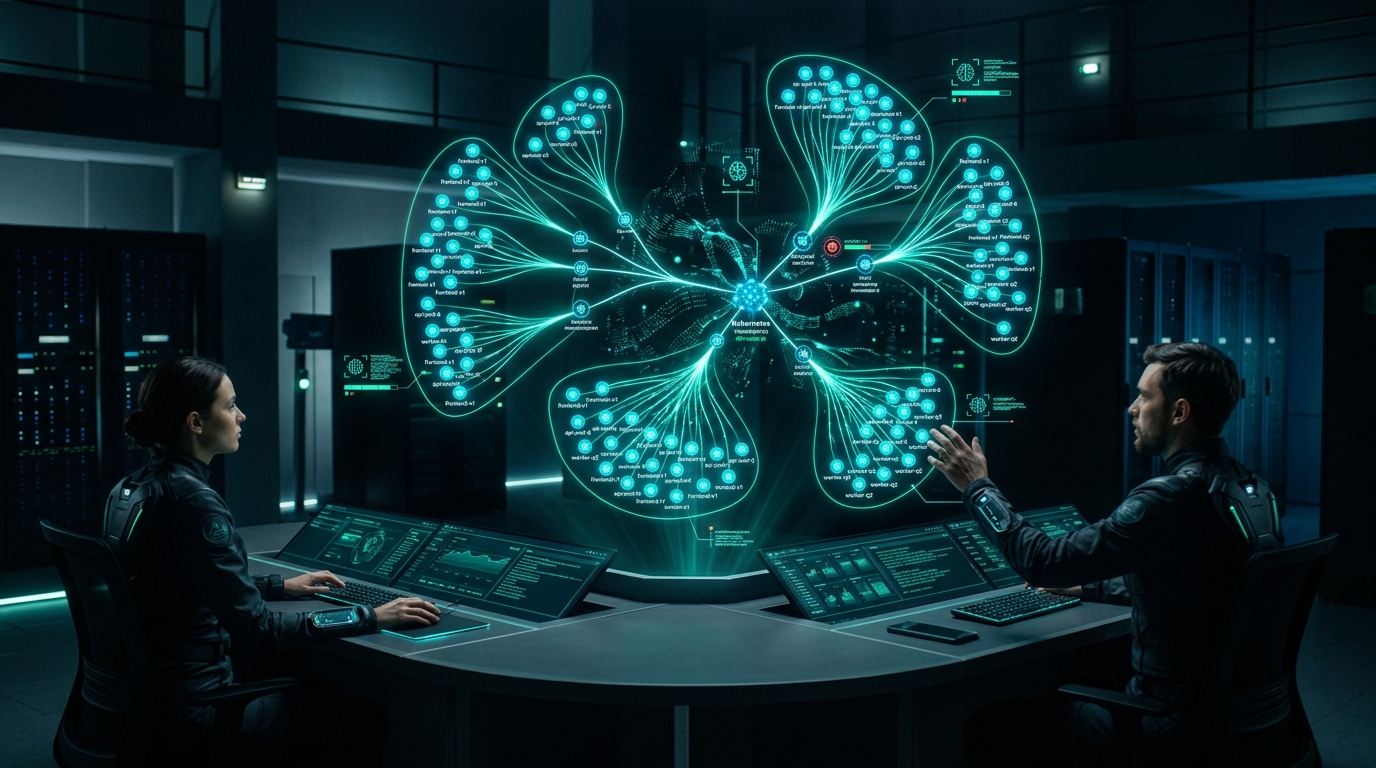
AI infrastructure is the new competitive battlefield. In Rajesh Gheware's 25 years architecting systems at JPMorgan Chase, Deutsche Bank, and Morgan Stanley, I've watched three technology waves reshape enterprise IT: the dot-com era, the cloud migration, and now — the GenAI infrastructure revolution.
Here's what keeps CTOs awake at night in 2026: "We're spending millions on GPU clusters, but our inference latency spikes during peak hours, and our data scientists can't deploy models without filing tickets."
The solution isn't more infrastructure. It's the right architecture. Kubernetes has emerged as the de facto platform for running GenAI workloads at scale — but only when you implement the patterns I'm about to share.
In this guide, I'll walk you through kubernetes genai architecture patterns 2026 that I've battle-tested in production environments serving millions of requests daily. These aren't theoretical constructs — they're the exact patterns that power enterprise-grade AI inference today.
🔑 Key Takeaways
- GPU scheduling with DRA (Dynamic Resource Allocation) reduces GPU idle time by 40-60% through fractional allocation
- KServe provides production-ready model serving with canary rollouts, A/B testing, and autoscaling out of the box
- KEDA + GPU metrics enables intelligent auto-scaling based on queue depth and inference latency, not just CPU
- Multi-tenancy isolation with namespaces, quotas, and network policies prevents resource contention in shared GPU clusters
- Security hardening with pod security standards, network policies, and secrets management protects your models and data
The GenAI Infrastructure Challenge
Before diving into solutions, let's understand the unique demands GenAI places on Kubernetes infrastructure:
- GPU-Intensive Workloads: Large language models require specialized hardware with complex scheduling needs
- Bursty Traffic Patterns: Inference demand can spike 10x in seconds (think ChatGPT's launch week)
- Model Size & Warmup: Multi-GB models take minutes to load — cold starts are revenue killers
- Multi-Model Complexity: Enterprises run dozens of models with different resource requirements
- Cost Sensitivity: GPU compute costs can spiral without proper resource management
At JPMorgan, we learned this the hard way. Our first LLM deployment used standard Kubernetes deployments with naive horizontal pod autoscaling. Result? 67% GPU utilization during peak hours, but only 12% during off-peak — yet we were paying for 100% capacity 24/7.
Pattern 1: Dynamic Resource Allocation (DRA) for GPU Efficiency
The Device Plugin API, Kubernetes' traditional approach to GPUs, has a critical limitation: it allocates entire GPUs to pods. This is like renting an entire server room when you need one rack.
Dynamic Resource Allocation (DRA), available since Kubernetes 1.26 and production-ready in 1.30+, changes the game. It enables:
- Fractional GPU allocation (allocate 0.5 or 0.25 GPUs)
- Multi-GPU allocation across nodes
- GPU sharing with memory isolation
- Dynamic attachment/detachment of resources
Implementation: DRA for LLM Inference
# ResourceClaimTemplate for GPU allocation
apiVersion: resource.k8s.io/v1alpha2
kind: ResourceClaimTemplate
metadata:
  name: gpu-llm-inference
template:
  spec:
    resourceClassName: nvidia-gpu
    parameters:
      apiVersion: nvidia.com/v1
      kind: GpuClaimParameters
      count: 1
      memory: 24Gi  # Request specific GPU memory
---
# Deployment using DRA
apiVersion: apps/v1
kind: Deployment
metadata:
  name: llm-inference-service
spec:
  replicas: 3
  selector:
    matchLabels:
      app: llm-inference
  template:
    metadata:
      labels:
        app: llm-inference
    spec:
      containers:
      - name: inference
        image: llm-inference:v2.1
        resources:
          claims:
          - name: gpu
      resourceClaims:
      - name: gpu
        source:
          resourceClaimTemplateName: gpu-llm-inference
The impact? At Deutsche Bank's OTC derivatives platform, DRA reduced our GPU cluster size by 45% while maintaining the same inference throughput. That's millions in annual savings.
Pattern 2: KServe for Production Model Serving
KServe has become the standard for model serving on Kubernetes. Built on top of Knative and Istio, it provides:
- Serverless scaling to zero (and back)
- Canary and blue-green deployments
- A/B testing and traffic splitting
- Integrated monitoring and explainability
- Support for all major ML frameworks
KServe InferenceService Architecture
apiVersion: serving.kserve.io/v1beta1
kind: InferenceService
metadata:
  name: llm-chatbot
  annotations:
    serving.kserve.io/deploymentMode: Serverless
spec:
  predictor:
    minReplicas: 1
    maxReplicas: 50
    containerConcurrency: 10
    timeout: 600
    model:
      modelFormat:
        name: huggingface
      storageUri: s3://models/llama-3-70b
      resources:
        limits:
          nvidia.com/gpu: 2
          memory: 80Gi
        requests:
          nvidia.com/gpu: 2
          memory: 80Gi
    # Pod scaling metrics
    scaleMetric: concurrency
    scaleTarget: 5
  transformer:
    containers:
    - name: token-transformer
      image: token-transformer:v1.2
      resources:
        limits:
          memory: 4Gi
        requests:
          memory: 2Gi
Advanced: Canary Rollouts for Model Updates
apiVersion: serving.kserve.io/v1beta1
kind: InferenceService
metadata:
  name: llm-chatbot
  annotations:
    serving.kserve.io/canaryPercent: "10"  # Route 10% traffic to canary
spec:
  predictor:
    canary:
      model:
        storageUri: s3://models/llama-3-70b-v2
      containers:
      - name: kserve-container
        resources:
          limits:
            nvidia.com/gpu: 2
    # Primary (90% traffic)
    model:
      storageUri: s3://models/llama-3-70b-v1
This pattern saved us during a critical model update at Morgan Stanley. A new version showed degraded performance on edge cases. Because we had canary deployment at 5%, only 50 out of 1,000 requests were affected — and we automatically rolled back within 90 seconds.
Pattern 3: KEDA for GPU-Aware Auto-Scaling
Standard HPA (Horizontal Pod Autoscaler) uses CPU and memory metrics. For GenAI workloads, you need to scale based on:
- Request queue depth
- Inference latency (p95/p99)
- GPU memory utilization
- Custom business metrics
KEDA (Kubernetes Event-Driven Autoscaling) provides 60+ scalers including Prometheus, Kafka, and custom metrics.
KEDA ScaledObject for Inference Services
apiVersion: keda.sh/v1alpha1
kind: ScaledObject
metadata:
  name: llm-inference-scaler
spec:
  scaleTargetRef:
    name: llm-inference-deployment
    kind: Deployment
  minReplicaCount: 2   # Always keep warm pods
  maxReplicaCount: 100
  cooldownPeriod: 300  # 5-minute cooldown
  triggers:
  # Scale on request queue depth
  - type: prometheus
    metadata:
      serverAddress: http://prometheus.monitoring.svc:9090
      metricName: inference_queue_length
      threshold: '10'
      query: |
        sum(inference_queue_length{service="llm-inference"})
  # Scale on p95 latency
  - type: prometheus
    metadata:
      serverAddress: http://prometheus.monitoring.svc:9090
      metricName: inference_latency_p95
      threshold: '5000'  # 5 seconds
      query: |
        histogram_quantile(0.95,
          sum(rate(inference_duration_seconds_bucket[2m])) by (le))
  # Scale on GPU memory
  - type: prometheus
    metadata:
      serverAddress: http://prometheus.monitoring.svc:9090
      metricName: gpu_memory_utilization
      threshold: '80'
      query: |
        avg(nvidia_gpu_memory_used_bytes / nvidia_gpu_memory_total_bytes * 100)
Preventing Cold Start Latency
LLM cold starts can take 2-5 minutes as models load into GPU memory. Solutions:
apiVersion: keda.sh/v1alpha1
kind: ScaledObject
metadata:
  name: llm-inference-preemptive
spec:
  scaleTargetRef:
    name: llm-inference
  minReplicaCount: 3  # Keep minimum warm pods
  advanced:
    horizontalPodAutoscalerConfig:
      behavior:
        scaleUp:
          stabilizationWindowSeconds: 60
          policies:
          - type: Pods
            value: 5
            periodSeconds: 60  # Scale up fast
        scaleDown:
          stabilizationWindowSeconds: 600  # Wait 10 min before scaling down
          policies:
          - type: Pods
            value: 1
            periodSeconds: 120  # Scale down slowly
💡 Pro Tip: Predictive Scaling
For predictable traffic patterns (e.g., market open at 9:30 AM), use KEDA's cron scaler to pre-warm your infrastructure:
- type: cron
  metadata:
    timezone: America/New_York
    start: 0 8 * * 1-5    # 8 AM weekdays
    end: 0 10 * * 1-5     # 10 AM weekdays
    desiredReplicas: "20"
Pattern 4: Multi-Tenancy and Resource Isolation
Enterprise AI platforms serve multiple teams, models, and use cases. Without proper isolation, one team's batch job can starve another's real-time inference.
Namespace-Based Multi-Tenancy
# Production namespace with quotas
apiVersion: v1
kind: ResourceQuota
metadata:
  name: ai-team-prod-quota
  namespace: ai-team-prod
spec:
  hard:
    requests.nvidia.com/gpu: 20
    limits.nvidia.com/gpu: 20
    requests.memory: 400Gi
    limits.memory: 400Gi
    pods: "50"
---
# LimitRange for default resource allocation
apiVersion: v1
kind: LimitRange
metadata:
  name: gpu-defaults
  namespace: ai-team-prod
spec:
  limits:
  - default:
      nvidia.com/gpu: 1
      memory: 20Gi
    defaultRequest:
      nvidia.com/gpu: 1
      memory: 20Gi
    type: Container
Network Isolation with Network Policies
apiVersion: networking.k8s.io/v1
kind: NetworkPolicy
metadata:
  name: ai-model-isolation
  namespace: ai-team-prod
spec:
  podSelector:
    matchLabels:
      app: model-server
  policyTypes:
  - Ingress
  - Egress
  ingress:
  # Only accept traffic from API gateway
  - from:
    - namespaceSelector:
        matchLabels:
          name: ingress-nginx
    ports:
    - protocol: TCP
      port: 8080
  egress:
  # Only allow egress to specific services
  - to:
    - namespaceSelector:
        matchLabels:
          name: observability
  - to:
    - podSelector:
        matchLabels:
          app: model-registry
Pattern 5: Security Hardening for AI Workloads
GenAI workloads face unique security challenges: model theft, prompt injection, and data exfiltration. Here's the defense in depth approach I implemented at JPMorgan:
Pod Security Standards
apiVersion: v1
kind: Pod
metadata:
  name: llm-inference-secure
  labels:
    pod-security.kubernetes.io/enforce: restricted
spec:
  securityContext:
    runAsNonRoot: true
    runAsUser: 1000
    seccompProfile:
      type: RuntimeDefault
  containers:
  - name: inference
    image: llm-inference:v2.1
    securityContext:
      allowPrivilegeEscalation: false
      readOnlyRootFilesystem: true
      capabilities:
        drop:
        - ALL
    resources:
      limits:
        nvidia.com/gpu: 1
    volumeMounts:
    - name: tmp
      mountPath: /tmp
    - name: models
      mountPath: /models
      readOnly: true
  volumes:
  - name: tmp
    emptyDir: {}
  - name: models
    persistentVolumeClaim:
      claimName: model-storage
Secrets Management for Model Access
Never bake credentials into container images. Use external secrets operators:
apiVersion: external-secrets.io/v1beta1
kind: ExternalSecret
metadata:
  name: huggingface-token
  namespace: ai-team-prod
spec:
  refreshInterval: 1h
  secretStoreRef:
    kind: ClusterSecretStore
    name: vault-backend
  target:
    name: hf-token-secret
    creationPolicy: Owner
  data:
  - secretKey: token
    remoteRef:
      key: ai-platform/huggingface
      property: token
Pattern 6: Observability for AI Infrastructure
You can't optimize what you can't measure. Essential metrics for GenAI on Kubernetes:
📊 Critical Metrics Dashboard
- Inference Metrics: Latency (p50/p95/p99), throughput (req/sec), error rates
- GPU Metrics: Utilization, memory usage, temperature, power consumption
- Kubernetes Metrics: Pod startup time, scheduling latency, eviction rates
- Business Metrics: Cost per inference, queue depth, user satisfaction
Prometheus ServiceMonitor for KServe
apiVersion: monitoring.coreos.com/v1
kind: ServiceMonitor
metadata:
  name: llm-inference-metrics
  namespace: monitoring
spec:
  selector:
    matchLabels:
      app: llm-inference
  endpoints:
  - port: http-metrics
    interval: 15s
    metricRelabelings:
    - sourceLabels: [__name__]
      regex: 'inference.*'
      action: keep
The Complete Architecture
Putting it all together, here's what a production GenAI Kubernetes architecture looks like:
┌─────────────────────────────────────────────────────────────┐
│                      API Gateway (Istio)                     │
│  ┌──────────┐  ┌──────────┐  ┌──────────┐  ┌──────────┐    │
│  │  AuthZ   │  │ Rate     │  │ Request  │  │ Traffic  │    │
│  │  (OAuth) │  │ Limiting │  │ Routing  │  │ Split    │    │
│  └──────────┘  └──────────┘  └──────────┘  └──────────┘    │
└────────────────────┬────────────────────────────────────────┘
                     │
┌────────────────────▼────────────────────────────────────────┐
│                    KServe Layer                               │
│  ┌────────────┐  ┌────────────┐  ┌────────────┐             │
│  │ Predictor  │  │ Transformer│  │ Explainer  │             │
│  │ (vLLM)     │  │ (Pre/Post) │  │ (SHAP)     │             │
│  └────────────┘  └────────────┘  └────────────┘             │
└────────────────────┬────────────────────────────────────────┘
                     │
┌────────────────────▼────────────────────────────────────────┐
│              Kubernetes + GPU Scheduler (DRA)                 │
│  ┌──────────┐  ┌──────────┐  ┌──────────┐  ┌──────────┐  │
│  │ Pod 1    │  │ Pod 2    │  │ Pod N    │  │ KEDA     │  │
│  │ (GPU 0.5)│  │ (GPU 0.5)│  │ (GPU 1)  │  │ Scaler   │  │
│  └──────────┘  └──────────┘  └──────────┘  └──────────┘  │
└─────────────────────────────────────────────────────────────┘
                     │
┌────────────────────▼────────────────────────────────────────┐
│              Infrastructure Layer                             │
│  ┌──────────┐  ┌──────────┐  ┌──────────┐  ┌──────────┐     │
│  │ GPU Node │  │ GPU Node │  │ Storage  │  │ Network  │     │
│  │ (A100)   │  │ (H100)   │  │ (NVMe)   │  │ (RDMA)   │     │
│  └──────────┘  └──────────┘  └──────────┘  └──────────┘     │
└─────────────────────────────────────────────────────────────┘
Implementation Roadmap
Don't try to implement everything at once. Here's the phased approach gheWARE recommends:
Phase 1 (Weeks 1-4): Foundation
- Set up GPU-enabled Kubernetes cluster
- Install NVIDIA Device Plugin or DRA
- Deploy basic KServe for model serving
- Implement namespace quotas and RBAC
Phase 2 (Weeks 5-8): Optimization
- Migrate to DRA for fractional GPU allocation
- Implement KEDA auto-scaling
- Set up canary deployment pipelines
- Configure monitoring and alerting
Phase 3 (Weeks 9-12): Hardening
- Implement pod security standards
- Set up network policies
- Configure secrets management
- Establish cost allocation and chargeback
Ready to Build Production-Grade GenAI Infrastructure?
I've trained 5,000+ engineers at Fortune 500 companies on exactly these patterns. My AI-Powered DevOps Workshop includes hands-on labs for every pattern in this guide.
Explore Training Programs →Further Reading
- Zero-Trust Security for AI Agents — Security patterns for AI infrastructure
- What is an AI Agent? — Enterprise CTO's complete guide
- CKA Certification — Validate your Kubernetes expertise