
The Utilization Crisis in Enterprise GPU Clusters
After 25 years in the trenches at institutions like JPMorgan Chase and Deutsche Bank, I have seen one constant: GPUs are expensive, and idle GPUs are a P&L leak. In 2026, as we push deeper into agentic AI and large-scale inference, the old model of dedicating entire A100 or H100 GPUs to single pods is no longer viable for cost-conscious engineering teams. We need density. We need efficiency.
The challenge isn’t just provisioning hardware; it’s orchestrating it. Kubernetes provides the framework, but the GPU runtime—specifically NVIDIA’s MIG (Multi-Instance GPU) and time-slicing—determines how effectively we can pack workloads. This isn’t theoretical. I’ve seen clusters waste 60% of their compute capacity because teams failed to understand the trade-offs between hardware isolation and software scheduling. If you are running GPU-optimized Kubernetes for LLM inference, you need to get this right.
MIG: The Hard Isolation Mandate
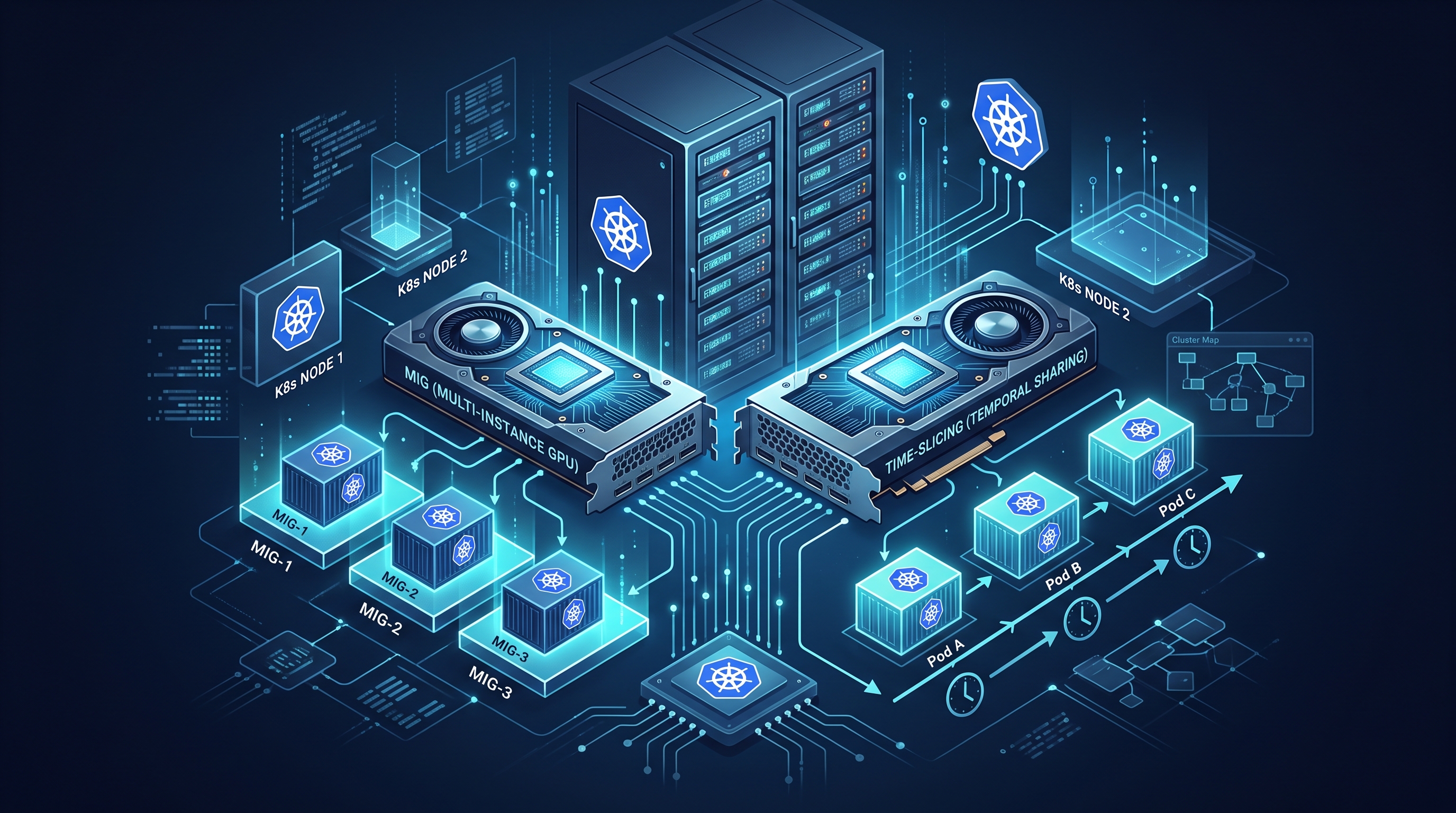
MIG is NVIDIA’s hardware-based partitioning technology. It slices a single GPU into multiple smaller, independent instances, each with its own dedicated compute, memory, and cache. For enterprise environments where security and strict QoS (Quality of Service) are non-negotiable—think regulated financial trading models or HIPAA-compliant healthcare AI—MIG is often the only acceptable path.
When you configure MIG, you are effectively creating virtual GPUs that behave like physical devices. The isolation is at the silicon level. If one tenant hammers the memory bus, it does not affect the latency of another tenant’s inference request. This is critical for multi-tenant clusters.
However, MIG is rigid. Once you partition a GPU, say into seven 1G.5GB instances, you cannot dynamically resize them. The scheduler must match the pod’s request to the exact MIG profile. This rigidity is a double-edged sword: it guarantees performance but reduces scheduling flexibility. If you have a pod that needs 1.5G.5GB, MIG cannot help you; you must reserve a full GPU or use a different strategy.
Time-Slicing: The Flexible Scheduler
Time-slicing, or GPU virtualization, takes a different approach. Instead of partitioning the hardware, it partitions the GPU scheduler. Multiple pods share a single GPU, and the driver rapidly switches context between them. From the application’s perspective, it appears to have exclusive access, but in reality, it is competing for cycles.
This approach is far more flexible than MIG. You can run dozens of small inference requests or training micro-batches on a single GPU. It is ideal for bursty workloads, such as real-time feature engineering or lightweight agentic tasks. However, this flexibility comes at a cost: isolation. If one pod goes rogue and enters a tight loop, it can starve other pods on the same GPU. In a high-security environment, this is a significant risk.
For many enterprise teams, time-slicing is the default because it requires less configuration. With the AI agents in Kubernetes paradigm, where agents spawn and die frequently, time-slicing allows for higher density without the overhead of managing static MIG profiles.
Decision Matrix: MIG vs. Time-Slicing in 2026
Choosing between MIG and time-slicing is not about which is "better"; it is about which fits your workload profile. Here is a practical breakdown of when to use each:
- Use MIG when: You have predictable, steady-state inference workloads. You require strict latency guarantees (e.g., <5ms p99). Your tenants are untrusted or highly regulated. You are running large batch models that need dedicated memory bandwidth.
- Use Time-Slicing when: You have bursty, variable workloads. You are running training jobs with small batch sizes. You need maximum density to minimize hardware costs. Your workloads are trusted and can tolerate occasional latency spikes.
In my experience, the most robust clusters use a hybrid approach. We designate specific node pools for MIG-based inference services and others for time-sliced training or development environments. This allows us to optimize for both performance and cost.
Implementation: The Kubernetes Operator Layer
Configuring GPU sharing manually is a recipe for disaster. In 2026, no serious team does this by hand. We rely on operators. The NVIDIA GPU Operator is the standard, but you must configure it correctly.
For MIG, you must enable MIG mode on the node level via the NVIDIA driver. This is a persistent setting. You then define MIG profiles in your cluster. The Kubernetes scheduler uses these profiles to match pod requests. Ensure your devicePlugin configuration in the GPU Operator is updated to reflect the MIG profiles you intend to use. If you mismatch the profile, pods will remain in Pending state, and you will waste time debugging.
For time-slicing, the configuration is simpler. You set the limits in your pod spec to nvidia.com/gpu: 1 and ensure the driver supports virtualization. The key here is resource requests. Always set explicit requests for GPU memory. If you do not, the scheduler may place too many pods on a node, leading to OOM kills and performance degradation. A common mistake is setting requests to zero, assuming the driver will handle it. It will not.
Also, consider integrating with AI-native Kubernetes observability. Standard Prometheus metrics are not enough. You need to monitor GPU utilization, memory fragmentation, and MIG instance health. Tools like DCGM Exporter are essential. Without visibility, you are flying blind.
Operational Pitfalls and Best Practices
Even with the right tools, operational failures are common. Here are the top pitfalls I see in enterprise environments:
- Ignoring Node Affinity: Not all nodes have GPUs. Not all GPUs support MIG. Ensure your node labels correctly reflect hardware capabilities. Mislabeling leads to pods scheduled on incompatible nodes.
- Overcommitting Memory: In time-slicing, if you overcommit GPU memory, you risk thrashing. Start with a conservative overcommit ratio (e.g., 1.5x) and tune based on actual usage patterns.
- Neglecting Driver Updates: GPU sharing features evolve rapidly. Outdated drivers can lead to bugs in MIG profile detection or time-slicing performance. Establish a regular patching cadence for your GPU nodes.
- Forgetting Security Contexts: When sharing GPUs, ensure your pods run with appropriate security contexts. Prevent privileged access unless absolutely necessary. This is especially critical in agentic AI security frameworks where agents may have broad system access.
Frequently Asked Questions
Can I switch between MIG and time-slicing dynamically?
No. MIG mode is a hardware state. Once a GPU is set to MIG mode, it remains in that mode until explicitly changed via the driver. You cannot toggle time-slicing on a MIG-enabled GPU. Plan your node pools accordingly.
Does time-slicing affect GPU performance?
Yes, but usually minimally. Time-slicing introduces a small context-switch overhead. For most inference workloads, this is negligible. However, for latency-sensitive applications, MIG is preferred because it eliminates this overhead entirely.
How do I monitor GPU sharing efficiency?
Use DCGM Exporter to collect metrics on GPU utilization, memory usage, and MIG instance status. Integrate these metrics into your existing observability stack (e.g., Prometheus and Grafana) to create dashboards that track utilization trends and identify underutilized nodes.
Is MIG supported on all NVIDIA GPUs?
No. MIG is supported on data center GPUs like the A100, H100, and L40. It is not supported on consumer-grade GPUs like the RTX 3090 or 4090. Ensure your hardware selection aligns with your sharing strategy.